Affiliate program
OpenCart gives you the opportunity to set up an affiliate program to
promote additional traffic to your shop. Affiliates will receive a
commission for each time they direct traffic or sales to your site. The
commission % can be adjusted in the administration under Sales >
Affiliate.
Creating a new affiliate
To create a new affiliate, you may click the Insert button on the Affiliate page.
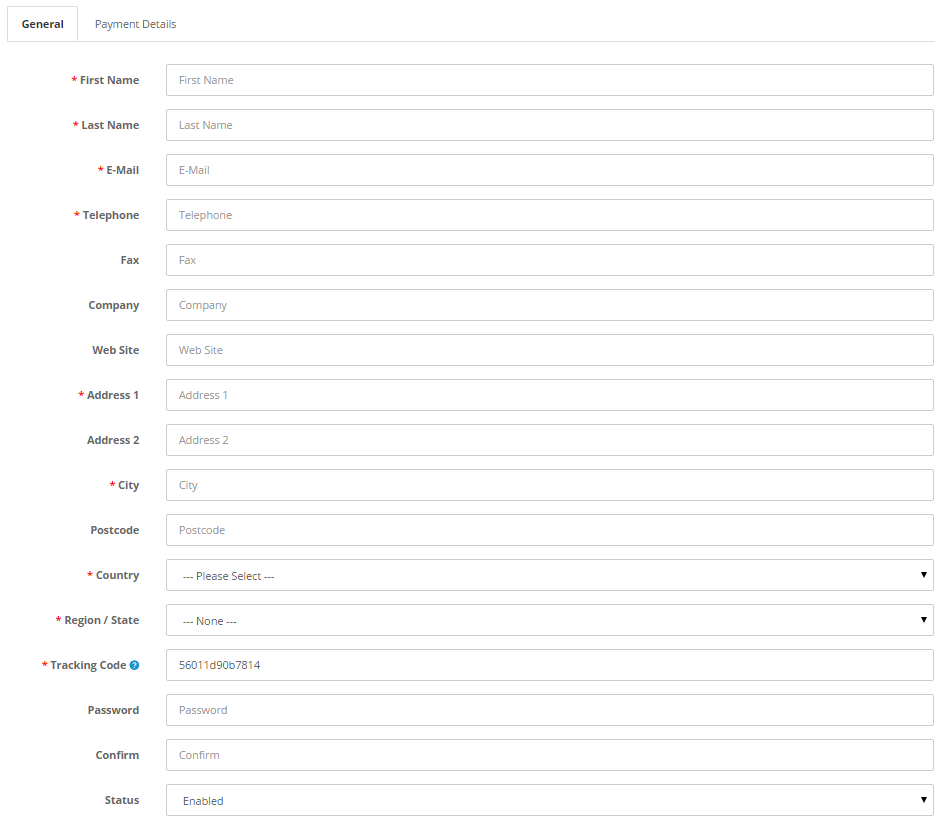
General tab
The first form asks for general information regarding the affiliate.
This information can be obtained directly from the affiliate through
email, or will be added automatically if they filled out a form on the
Affiliate page:

Payment details tab
The Payment Details tab configures the commission and payment methods to be paid to the affiliate:

Editing an affiliate
The Affiliate page can be accessed from Extras > Affiliates in the
footer section of every page. The affiliate will need to create an
affiliate account using this page. A form on the page includes the same
fields seen in the General and Payment Details tabs in the admin side.
When the affiliate completes the form, the affiliate information will be
filled into the General and Payment tabs for you to edit. Clicking
“Edit” under Sales > Affiliates will allow you to edit specific
payment or general affiliate information.
Approving an affiliate
After the affiliate creates their account in the store front, the
affiliate will need to be approved by the administrator in the
Affiliates section of the administration.