Skip to content
  • 中文 (香港)
  • Home
  • Opencart Installation
    • Admin Interface
    • Extensions
    • Sales
    • Marketing
    • Catalog
    • Design
    • Customers
    • System
    • Opencart Installation Problem
  • WordPress Installation
    • WordPress Free Template
    • WordPress Installation Problem
  • Website Set Up FAQ
    • Set up email
  • AD Region News Feed
    • Web Hosting Plan (Free Domain)
    • Domain Name Register

AD Region Company – FAQ

If you meet any problems with website installation, you are in the right place.

  • 中文 (香港)
  • Home
  • Opencart Installation
    • Admin Interface
    • Extensions
    • Sales
    • Marketing
    • Catalog
    • Design
    • Customers
    • System
    • Opencart Installation Problem
  • WordPress Installation
    • WordPress Free Template
    • WordPress Installation Problem
  • Website Set Up FAQ
    • Set up email
  • AD Region News Feed
    • Web Hosting Plan (Free Domain)
    • Domain Name Register

Tag: reset password

  • Home
  • reset password

How can I reset my WordPress admin password?

June 8, 2026 faq_adminWordpress Installation Problemreset password

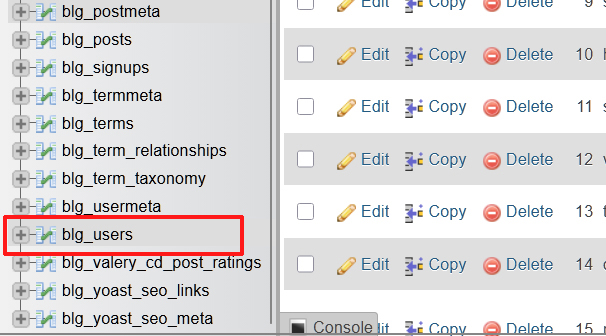
go to your.site/wp-login.php, click “Lost your password?” And reset your password by email. OR Go to phpMyAdmin -> your-site-db -> wp_users table, select your user, click “edit”, in password field select MD5 type of field, enter new value in field, Read More

Meta

  • Log in
  • Entries feed
  • Comments feed
  • WordPress.org

www.adregion.hk

Tel: +852 2564 8324

support@faq.adregon.hk

AD Region Company Facebook page

Help set up Opencart/Wordpress website

Graphic Design, Photography, Website Design, Printing

Website Hosting, Domain Register, Free SSL Certificate

Copyright © 1997-2026 AD Region Company. All rights reserved.
Supported & Powered by www.adregion.net