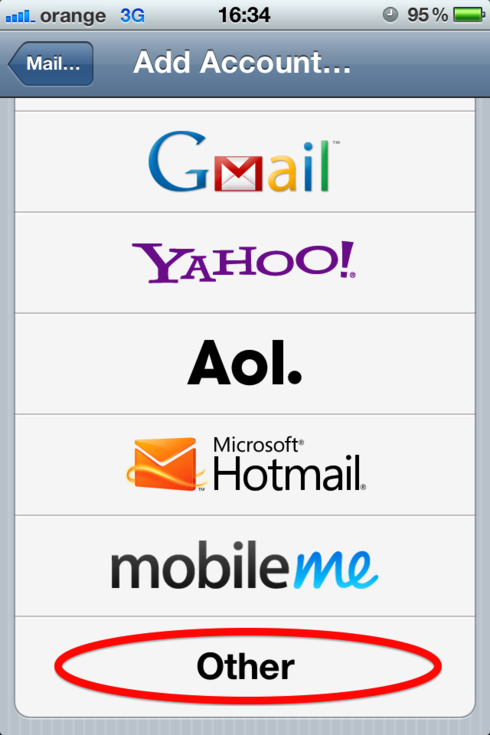
如果你想用iPhone發送和接收您的公司電子郵件,請按照此步驟。
這個例子會告訴你如何設置test@yourdomain.com。 設置完電子郵件後,我們可以使用iphone發送和接收test@yourdomain.com郵件。
當您設置您的電子郵件,請將test@yourdomain.com更改為您的公司電子郵件。
*********************
Incoming POP3 or IMAP/ Mail Server : mail.adregion.net
Username : test@yourdomain.com
Password : 你為test@yourdomain.com設置的密碼
Secure connection options(SSL, TLS) : none
IMAP Port: 993
Outgoing SMTP Mail Server/Host : mail.adregion.net
SMTP Authentication : Yes
Username : test@yourdomain.com
Password : 你為test@yourdomain.com設置的密碼
Secure connection options(SSL, TLS) : none
SMTP port: 465
這些是安全連接所需的詳細信息(https://)
您需要確保在菜單中選中了“Always trust the Certificate”選項
These are the details needed for a secure connection.(https://)
You need to make sure that the ” Always trust the Certificate” option is checked on the menu in screenshot number
2. 另外,點擊IMAP端口號旁邊的“使用SSL”。